Banners (Static Promotional Banners)
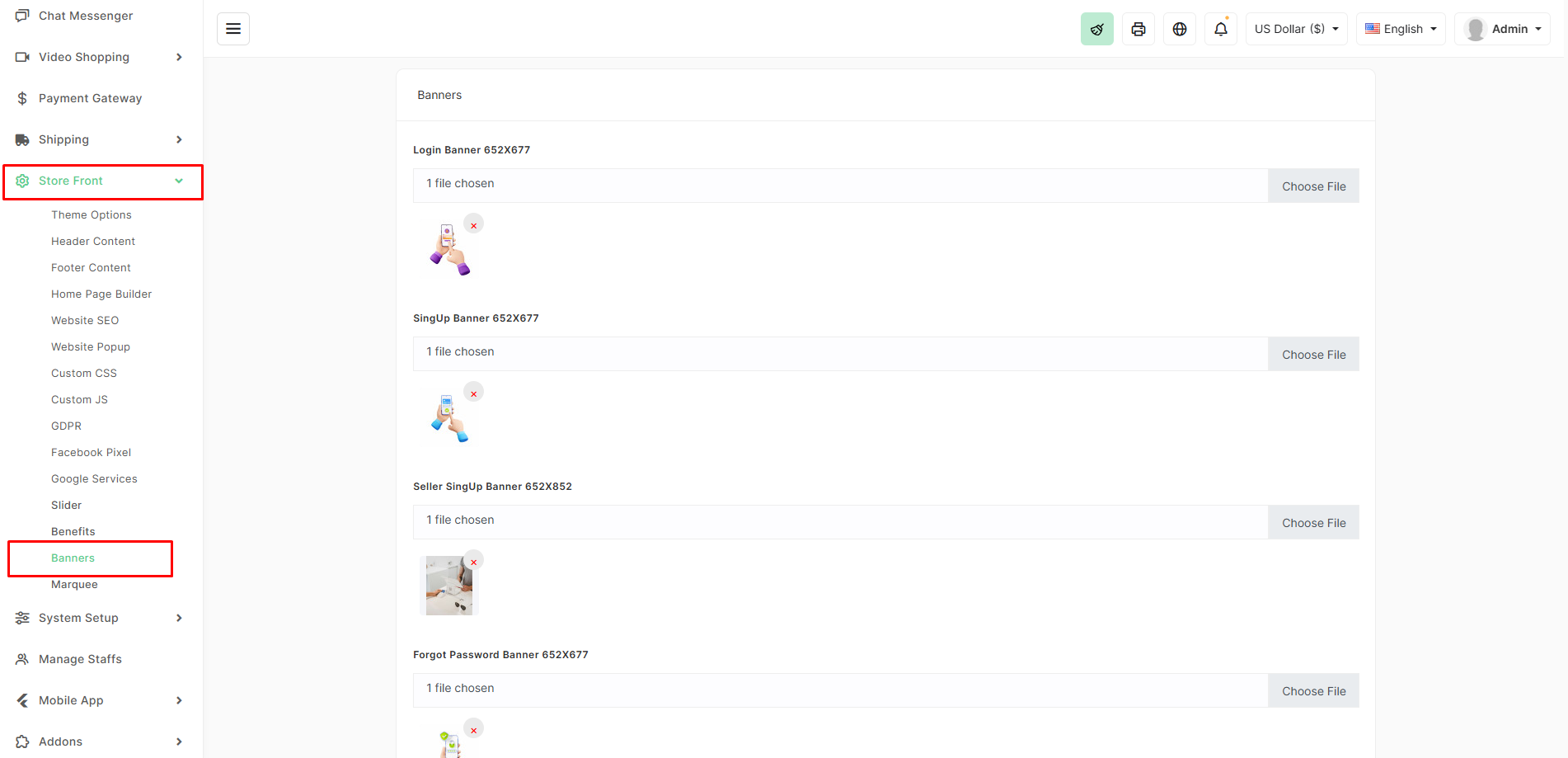
The Banners section allows you to upload and manage static promotional images that appear in various fixed positions across your store (login page, signup page, seller signup, password reset page, etc.). These are different from the main hero slider and are used to promote specific actions or messages.
Location
Store Front → Banners
Available Banner Types
| Banner Name | Recommended Size | Where It Appears |
|---|---|---|
| Login Banner | 652×677 px | Customer login page |
| SignUp Banner | 652×677 px | Customer registration page |
| Seller SignUp Banner | 652×852 px | Seller/Vendor registration page |
| Forgot Password Banner | 652×677 px | Password reset / forgot password page |
How to Update a Banner
- Go to Store Front → Banners.
- Click Choose File next to the banner you want to change.
- Upload your new image (PNG, JPG, or WebP recommended).
- The old image is automatically replaced.
- No “Save” button needed — changes take effect instantly.
Pro Tips
- Keep all banners the exact recommended dimensions to avoid stretching or cropping.
- Use high-quality lifestyle or promotional images with clear calls-to-action.
- Include text on the image (e.g., “Join as Seller & Earn More”, “Sign Up & Get 10% Off”).
- Use brand-consistent colors and fonts.
- For seller signup banner, highlight earning potential, easy setup, or commission rates.
These banners are excellent for driving user registrations, seller onboarding, and recovering abandoned password resets — small but highly effective conversion boosters!