Other Pages (Custom Pages)
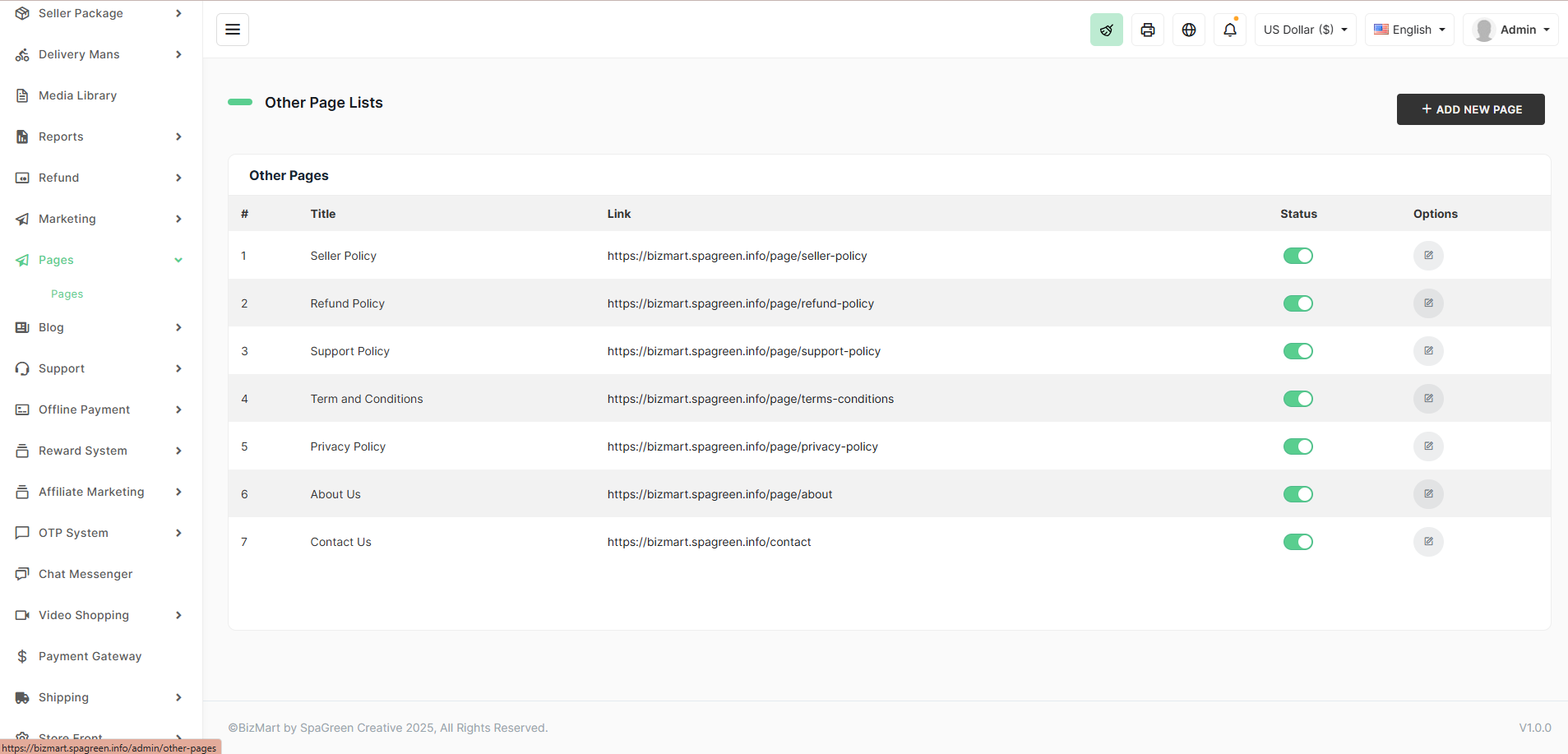
The Other Pages section allows you to create and manage custom static pages such as About Us, Contact Us, Privacy Policy, Terms & Conditions, Refund Policy, Support Policy, Seller Policy, and any other informational pages your store needs.
Location
Pages → Other Page Lists
Default Pages Included
| # | Title | Default Slug Example | Purpose |
|---|---|---|---|
| 1 | Seller Policy | /page/seller-policy | Rules for sellers (multi-vendor) |
| 2 | Refund Policy | /page/refund-policy | Return & refund guidelines |
| 3 | Support Policy | /page/support-policy | Customer support terms |
| 4 | Terms & Conditions | /page/terms-conditions | Legal terms of use |
| 5 | Privacy Policy | /page/privacy-policy | Data protection & privacy statement |
| 6 | About Us | /page/about | Company/store introduction |
| 7 | Contact Us | /contact | Contact form & details |
Features
- Rich Text Editor – Full WYSIWYG editor with image upload, tables, links, etc.
- Multi-Language Support – Translate each page into all active languages.
- SEO-Friendly URLs – Clean, readable links.
- Status Toggle – Enable/disable any page instantly.
- Add Unlimited Custom Pages – Click + ADD NEW PAGE for FAQs, Shipping Info, Careers, etc.
How to Edit or Add a Page
- Go to Pages → Other Page Lists.
- Click the Edit icon next to any page.
- Or click + ADD NEW PAGE to create a new one.
- Fill in:
- Page Title
- Content (using the rich editor)
- Slug (optional – auto-generated if empty)
- Status (Active/Inactive)
- Switch language using the dropdown to add translations.
- Click Save.
Pro Tips
- Always keep Privacy Policy, Terms & Conditions, and Refund Policy active — required for trust and legal compliance.
- Link these pages in your footer (configured in Store Front → Footer Content).
- Use the editor to embed Google Maps in Contact Us or add downloadable PDFs.
With custom pages, you can provide all necessary information professionally and keep your store fully compliant!